← Semua panduanJentra Clinic · Panduan 3
Cara mengisi syif kosong melalui pautan lokum
Anda berkongsi syif kosong dalam Jentra Clinic melalui satu pautan. Kemudian anda mengesahkan lokum yang memohon syif tersebut.
Video ini dimainkan daripada YouTube apabila anda menekan butang main. YouTube tidak menyimpan kuki sebelum itu. Sari kata disediakan dalam bahasa Inggeris.
Langkah-langkahnya
Video dan langkah-langkah ini dalam bahasa Inggeris.
- Open Roster, choose Bangi and go to next week.
- Click the empty seat on Tuesday from 6 to 10 pm. This seat needs a locum.
- Click Find a locum. The page lists locums who can work, with a WhatsApp message ready for each.
- To reach more locums, click Share open shifts. The list ticks the shifts that need a locum.
- Tick any other open seat you want to offer too. Then click Make the link.
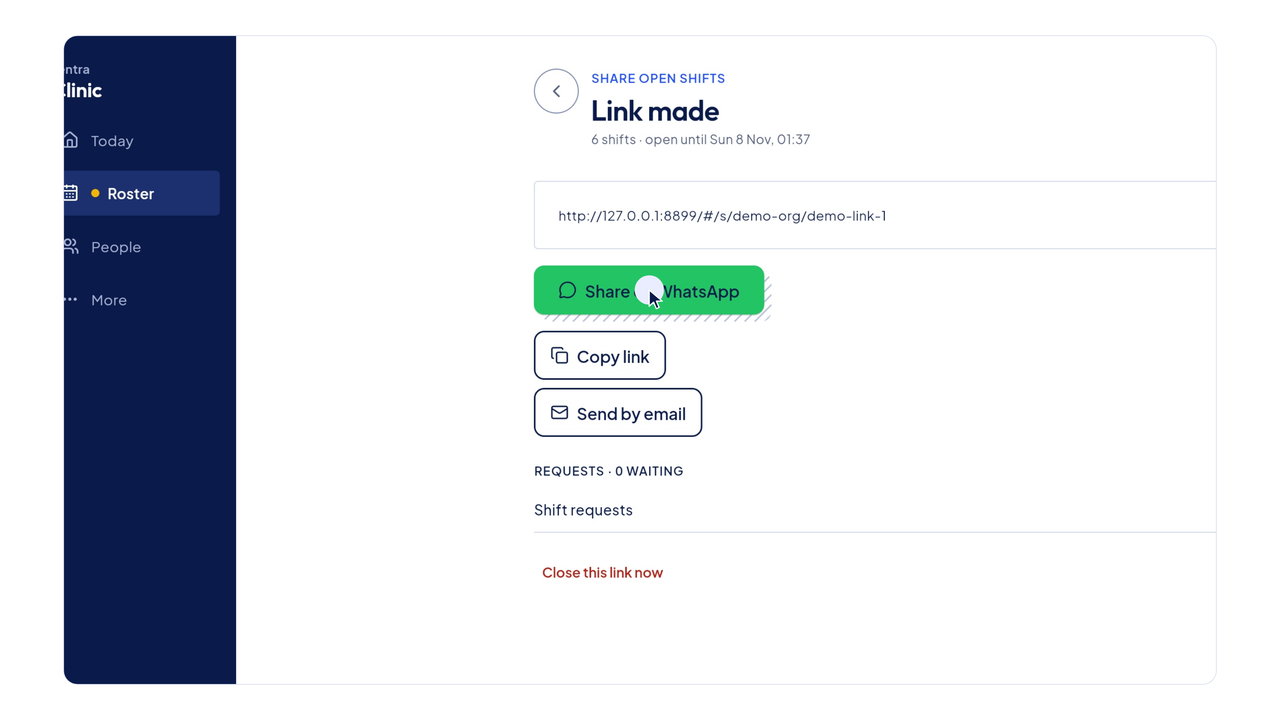
- Send the link by WhatsApp, copy it, or send it by email.
- A locum who opens the link sees the open shifts and picks one.
- They enter their name, phone and MMC number, then send the request.
- Back in Jentra Clinic, the request shows on Today. Click Decide.
- The request shows whether the locum is already in People, and when their APC runs out.
- Click Confirm. Jentra Clinic puts them on the shift and opens WhatsApp so you can tell them.